What on earth is flat in Javascript?

In the realm of functional programming there is an old and well-known principle called data flattening. If you’re like me, hearing this concept for the first time, you might envision someone jumping on a can full of information trying to smash it.
Well, just like you, having this picture in my head simply didn’t help or make any sense to me at the beginning. You see, this principle is intimately related to the realm of arrays, and this is where things started to add up.
As you already know, an array is a data structure that can have multiple dimensions:
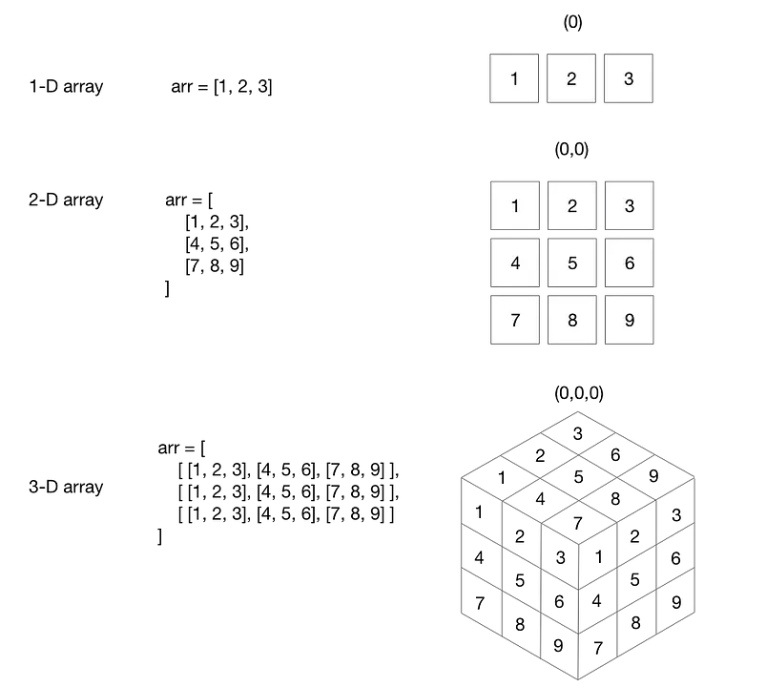
So, according to the data flattening principle, your job is to run a “roller compactor machine” to level the surface of these multi-dimensional structures into a uniform 1-dimensional structure.
Mmmm something like this:
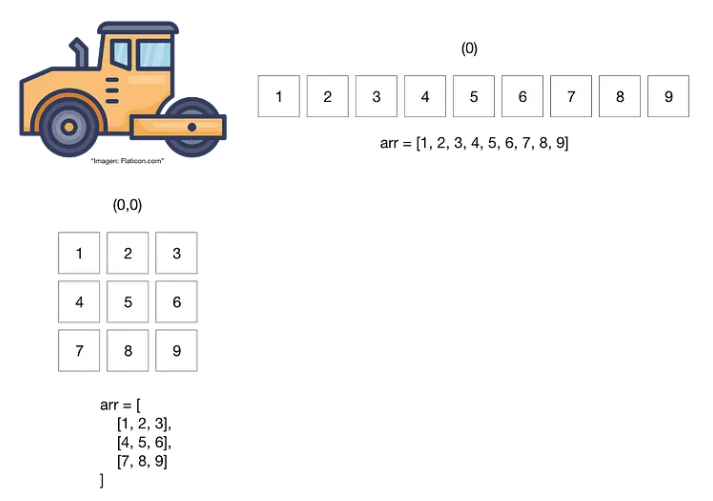
In practice, your little “roller compactor” is just a method or a function whose job is to simply even out or flatten the multidimensional structure that receives as Input.
In this sense, wouldn’t be useful to have something like this in your toolbox?:
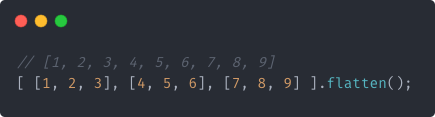
Alright, you got me, finally I get it, but, Why on earth would I need such a thing?. Well, just like any other irregular surface needs to be leveled out before building something on it, your data needs certain level of structural homogeneity in order to be easily manageable and digestible.
Although Javascript doesn’t have an Array.flatten() method, it does come with a built-in Array.flat() method, introduced in modern versions of the language:
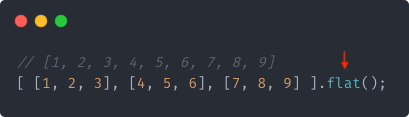
By default, this built-in method reduces a multidimensional array by 1 level. However, you can always specify the desired level to which you want to reduce your multidimensional structure.
For example, if your intention is to “flatten” a 3-dimensional array to get a 1-dimensional data structure, you just simply reduce it by two levels:
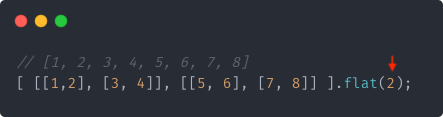
To get a 1-dimensional data structure from a 4-dimensional array you just have to reduce it by 3 levels:
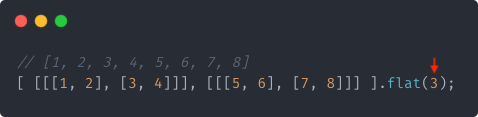
And so on, and so forth. You just tell it to the Array.flat() method.
Additionally, Array.flat() goes one step further, as it can handle multidimensional arrays with heterogeneous structures. For example:
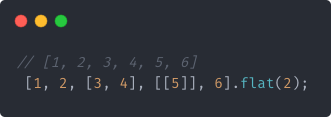
Can you see why did I tell Array.flat() to reduce the depicted structure by two levels?.
Well, the reason is because I want to get a 1-dimensional array with all of its elements, and to do so, I need to reference the element that is at the deepest nesting level:
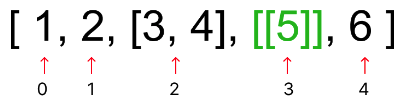
Essentially, the element at the deepest nesting level is found at the 3rd position of this heterogenous data structure, and from there, Array.flat() begins its “flattening” process, reducing or leaving untouched the current nesting level of the other elements.
Getting rid of Potholes
In addition to flattening structures, our little Array.flat() machine also has the ability to eliminate surface flaws, or “potholes”. For example:
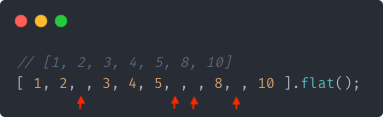
And that’s basically everything you need to know about Array.flat(). So if at any point you need your data structures to have a certain level of uniformity, keep this little fella in mind.