LetsDefend - Remote Working

In this challenge, you’ll analyze a suspicious Excel file to uncover its origins, behavior, and potential threats. Along the way, you’ll generate hashes, examine dropped files, and investigate contacted URLs to see what this malware is really up to. Think of it as a hands-on, beginner-friendly dive into malware forensics, step by step.
Alright!. Let’s jump in and tackle this head-on! 🚀
First things first, let’s get everything ready for this challenge. Start by unzipping the provided ORDER_SHEET_SPEC.zip file:
1
> unzip ORDER_SHEET_SPEC.zip
That will give you the document you’ll be analyzing.
Next, generate its SHA-256 fingerprint:
1
> sha256sum 'ORDER SHEET & SPEC.xlsm'
You should get the following hash:
1
7bcd31bd41686c32663c7cabf42b18c50399e3b3b4533fc2ff002d9f2e058813
Copy that value and paste it into VirusTotal for analysis. Here’s the link with the hash already filled in.
With that, you’ve got everything you need to begin, so let’s dive in!
What is the date the file was created? (UTC) Answer Format: YYYY-MM-DD HH:MM:SS
This one is easy, just head over to the DETAILS tab, and in the History section, you’ll find your answer:
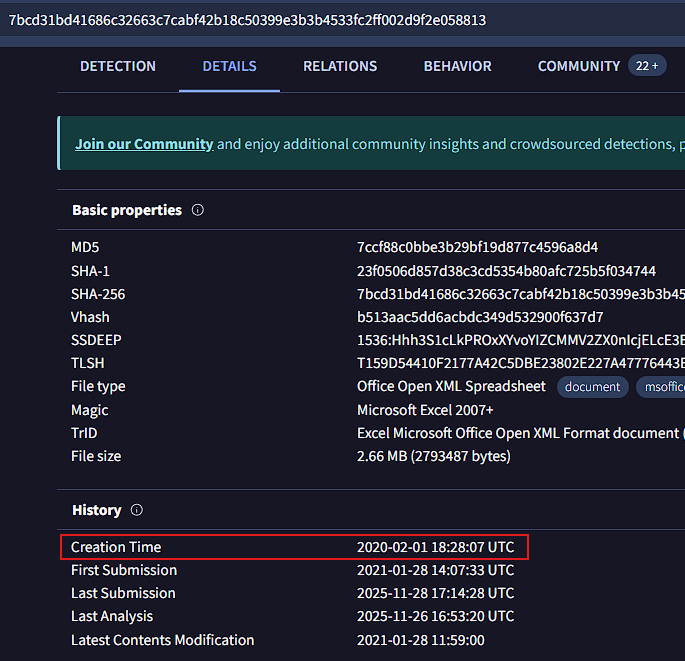
The file was created on: 2020-02-01 18:28:07
With what name is the file detected by Bitdefender antivirus?
To answer this question simply navigate to the DETECTION tab and look for Bitdefender’s security analysis:
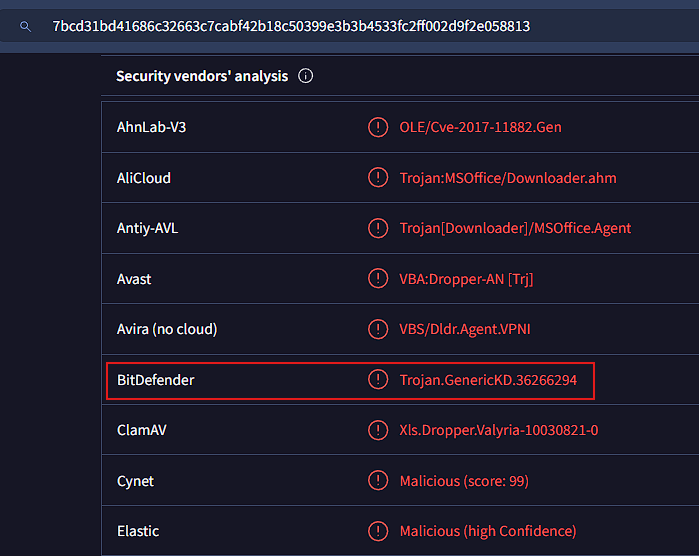
According to Bitdefender, this threat is identified as: Trojan.GenericKD.36266294
How many files are dropped on the disk?
The Dropped Files section under the RELATIONS tab shows you everything a piece of malware unpacks during its execution. From there, you can see the total number of files dropped:
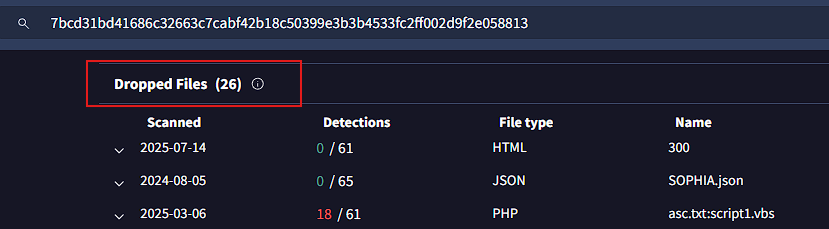
For this question the answer is: 26
What is the sha-256 hash of the file with emf extension it drops?
In the same Dropped Files section, you’ll notice a file named image1.emffile, it’s the only one listed there:
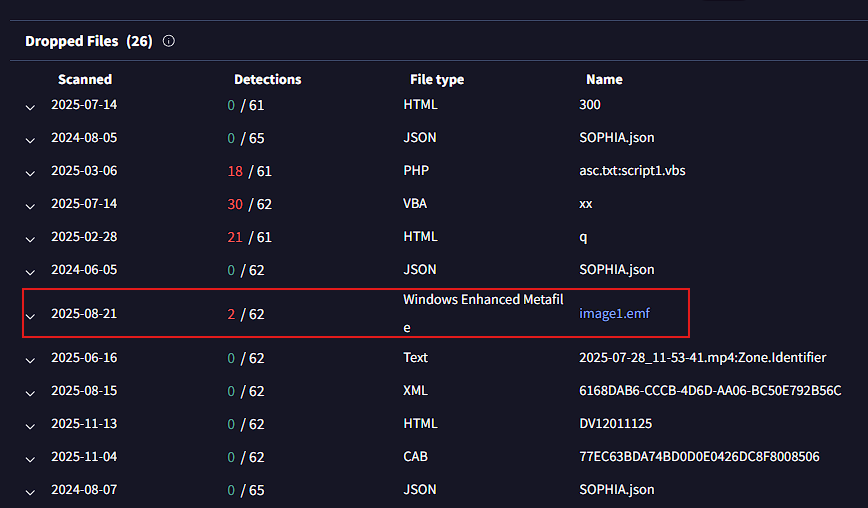
Clicking on it opens a new page where you can view the SHA-256 hash for this file:
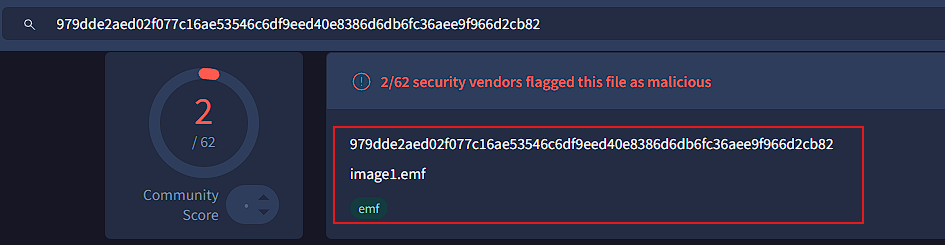
The answer is: 979dde2aed02f077c16ae53546c6df9eed40e8386d6db6fc36aee9f966d2cb82
What is the exact url to which the relevant file goes to download spyware?
In the Contacted URLs section under the RELATIONS tab, you can see which URLs the malware has reached out to. Among them, one looks particularly suspicious:
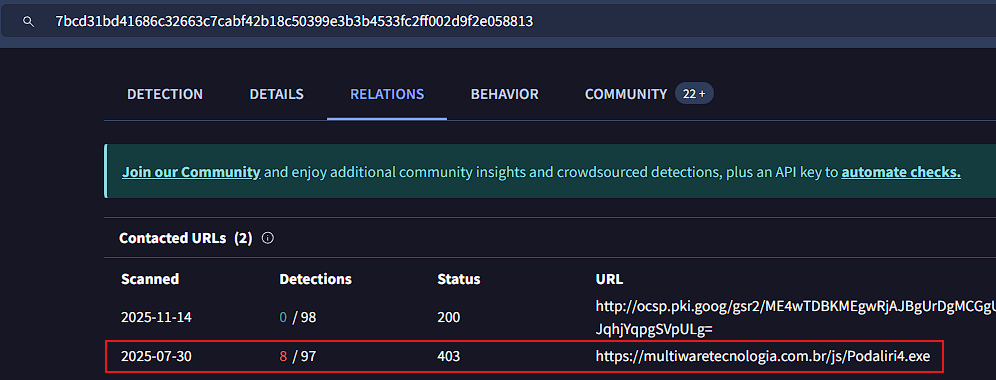
Why would it need to contact a URL that points to a binary payload? Is it just pretending to download something, or is there an actual malicious intent behind it?
Therefore, the answer is: https://multiwaretecnologia.com.br/js/Podaliri4.exe
And that’s the end of our analysis!. 🎉 I hope this walkthrough helped you get hands-on experience dissecting malware using an amazing threat intelligence tool like VirusTotal 🛡️. Keep practicing, and you’ll stay one step ahead in the ever-evolving world of cybersecurity 🚀🔒.