HackThisSite - Basic Level 11 - Exposed .htaccess Files

This challenge is a bit different and harder than the previous ones. In this scenario, Sam has developed a music website, but unfortunately, he doesn’t really understands how Apache works.
When you visit Sam’s music website, you’re greeted with this screen:
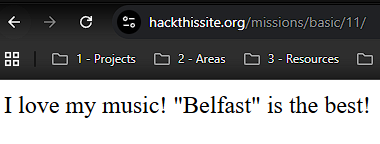
No login form, no input fields, no buttons, just a single page whose message changes every time you refresh the page.
At first glance, it looks like there’s nothing to attack. However, as mentioned earlier in this challenge series, one of the first things you should always do during a pentest is inspect the page source. You’d be surprised how often developers leave useful hints behind:

When you check the source code, you’ll notice an interesting message: “our own collection”. Could this refer to a directory on the server?, if that’s the case, then performing directory and file enumeration might reveal something useful under the current challenge directory:
1
https://www.hackthissite.org/missions/basic/11/
Let’s find that out by scanning it using dirb:
1
> dirb https://www.hackthissite.org/missions/basic/11/
That command uses a default wordlist to enumerate hidden files and directories inside /missions/basic/11/:
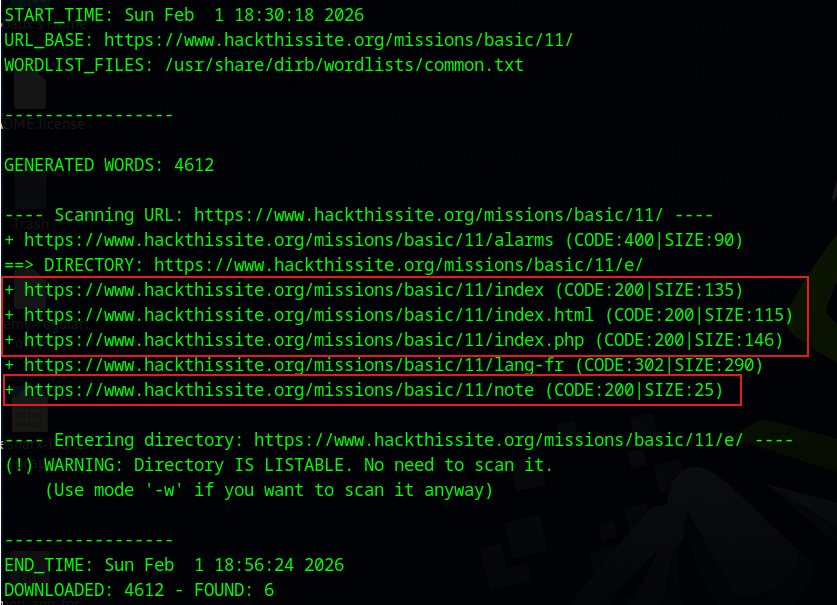
As you can see, there are a few accessible endpoints. For example, these two refer to the page you’re seeing:
1
2
/missions/basic/11/index
/missions/basic/11/index.html
This other endpoint tells a different story:
1
/missions/basic/11/index.php
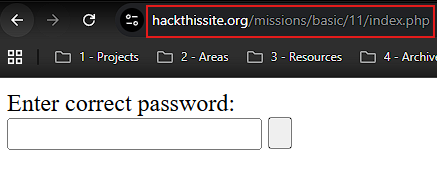
Oh look!. A login form is revealed. You’ll eventually need a password to complete the challenge, but for now, let’s keep exploring.
The following endpoint might confirm your initial suspicion:
1
https://www.hackthissite.org/missions/basic/11/note
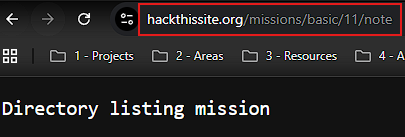
They’re telling you that this challenge is indeed a directory listing mission, keep this in mind.
Shortly after, dirb reports the following endpoint:
1
https://www.hackthissite.org/missions/basic/11/e/

It says that that directory IS LISTABLE, meaning you don’t need to brute‑force it , you can browse it directly.
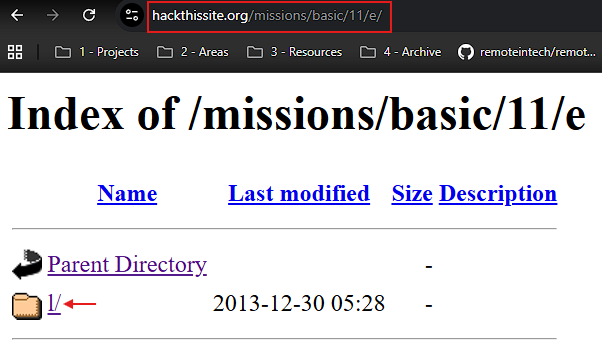
So, open that URL in your browser and you’ll see a subdirectory named l/. Click it:
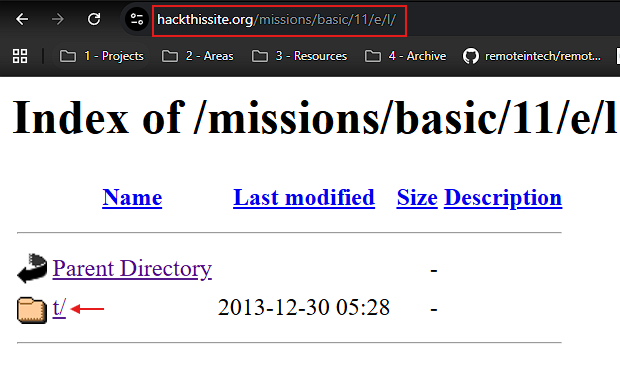
Inside l/, you’ll find t/. Click it:
Keep doing the same until no more entries are displayed:
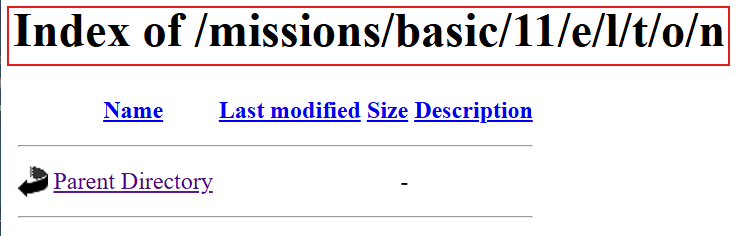
Perfect!. You notice a pattern forming the word: elton, likely the “collection” mentioned earlier. Proceed to scan it with dirb to see what might be inside:
1
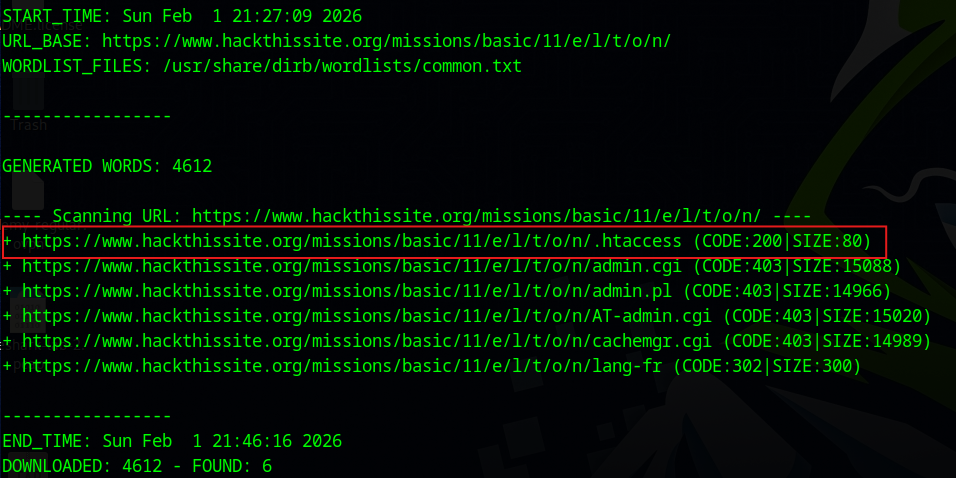
> dirb https://www.hackthissite.org/missions/basic/11/e/l/t/o/n/
Wow!, among the results, there’s something particularly interesting, an exposed .htaccess file:
You see, an .htaccess is a configuration file used by the Apache web server. It basically allows you to control how your website behaves directory by directory without touching the main server configuration file httpd.conf.
With an .htaccess file you can:
- Control access.
- Rewrite URLs.
- Handle errors.
- Define file behavior and MIME types.
And because it often contains sensitive configuration details, it should never be publicly readable. If an external user can access it, that’s a server misconfiguration and a real security issue.
Having said that, let’s inspect the contents of the .htaccess file:
1
https://www.hackthissite.org/missions/basic/11/e/l/t/o/n/.htaccess
You get the following output:
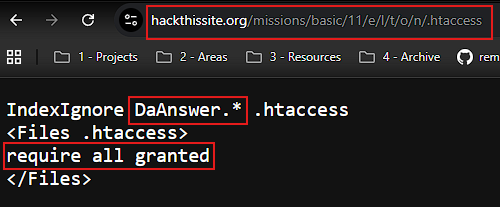
What this does is hide from the directory listing any file starting with DaAnswer. (for example, DaAnswer.txt, DaAnswer.php, etc.), but it does not prevent direct access to them. That’s why the files are invisible when browsing this directory:
1
https://www.hackthissite.org/missions/basic/11/e/l/t/o/n/
Yet, they remain fully accessible if requested by name. If you could only find a way to guess the filenames correctly, you’d be able to access them.
Fortunately for you, dirb comes to the rescue once again. Since you already know that that directory contains files starting with DaAnswer., why not simply append some common file extensions and check whether any of them are publicly accessible. This is what I mean:
1
2
3
4
5
6
7
8
9
https://target.com/DaAnswer.txt
https://target.com/DaAnswer.php
https://target.com/DaAnswer.old
https://target.com/DaAnswer.zip
https://target.com/DaAnswer.tar.gz
https://target.com/DaAnswer.sql
https://target.com/DaAnswer.conf
https://target.com/DaAnswer.log
https://target.com/DaAnswer.swp
If a file is accessible, you’ll get a valid HTTP response 200 OK. So, let’s put this into practice:
1
> dirb https://www.hackthissite.org/missions/basic/11/e/l/t/o/n/ <(echo DaAnswer) -X .txt,.php,.old,.zip,.tar.gz,.sql,.conf,.log,.swp
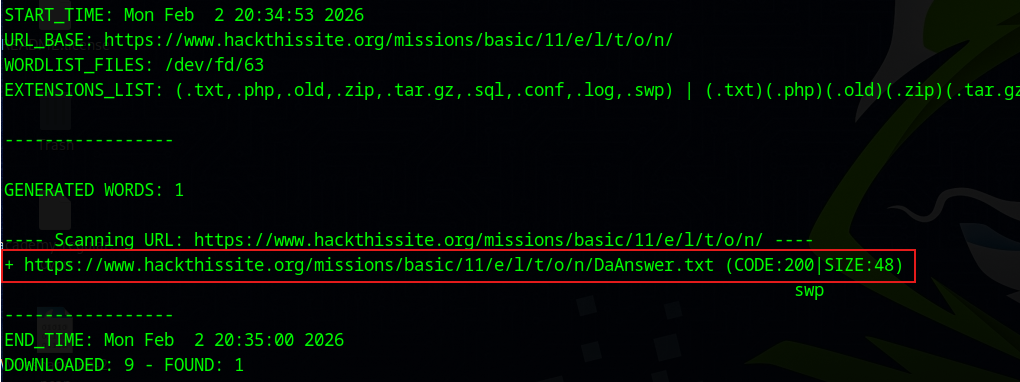
Alright!, there’s a promising candidate, let’s inspect its content:
1
https://www.hackthissite.org/missions/basic/11/e/l/t/o/n/DaAnswer.txt
In my case, the file returns the following result:
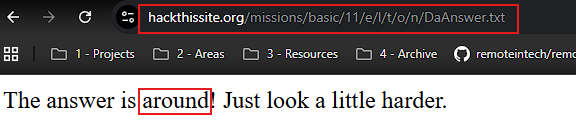
The information you see is tricky, but the answer is straightforward. The password is around, at least in my case (it may be a different word for you).
To finish the challenge, simply return to the login form you discovered earlier during the initial directory enumeration:
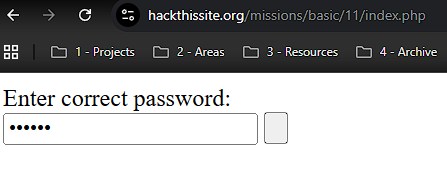
Enter the password, submit the form, and that’s it 🎉. You’ve successfully completed the challenge.
Security Recommendations
Sensitive configuration files such as .htaccess should never be publicly accessible. Web servers must be configured to explicitly deny access to dotfiles, and access controls should be enforced at the server level rather than relying on directory listing behavior.
Directory listing should be disabled unless it is absolutely necessary, as it can reveal internal directory structure, file naming patterns, and clues that only helps in further exploitation. Even when listings are disabled, developers should assume that attackers can still guess filenames and brute-force common extensions, so sensitive files should never live inside web-accessible directories in the first place.
Finally, security testing should be part of the development lifecycle. Regularly scanning applications with tools like directory enumerators can help detect exposed resources and misconfigurations early, before attackers do.