LetsDefend - Disclose The Agent

In this challenge, you’ll take a look at an email conversation between one of your employees and some strangers. To get started, just open the provided.pcap file with Wireshark. All the questions will focus on analyzing SMTP traffic.
You can start your investigation by applying an smtp display filter and then following the corresponding TCP streams to get the full picture of the conversation, like this:
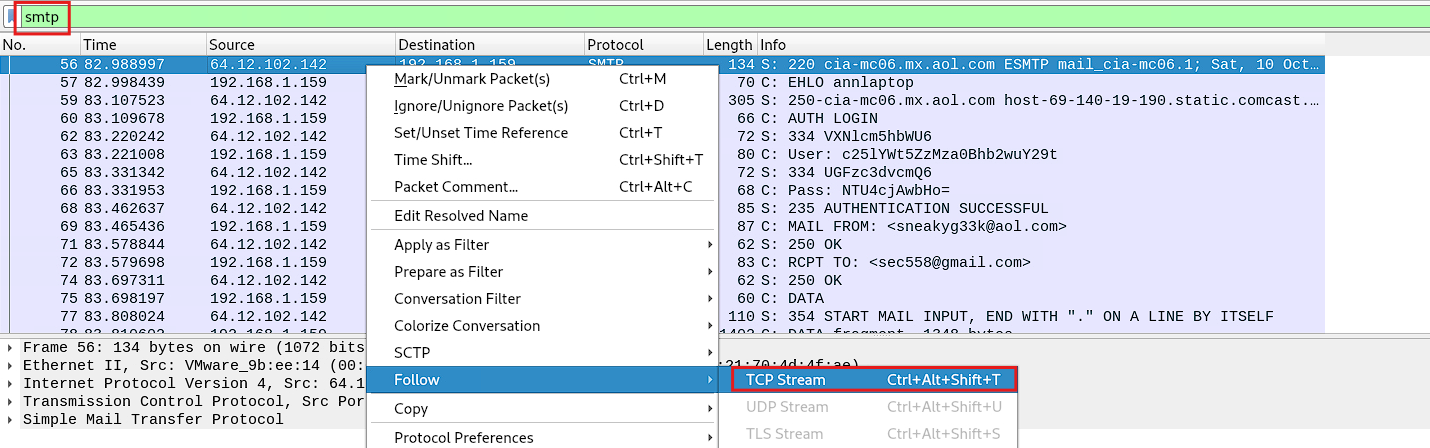
You’ve got now everything you need to complete this challenge, so let’s get to it!.
What is the email address of Ann’s secret boyfriend?
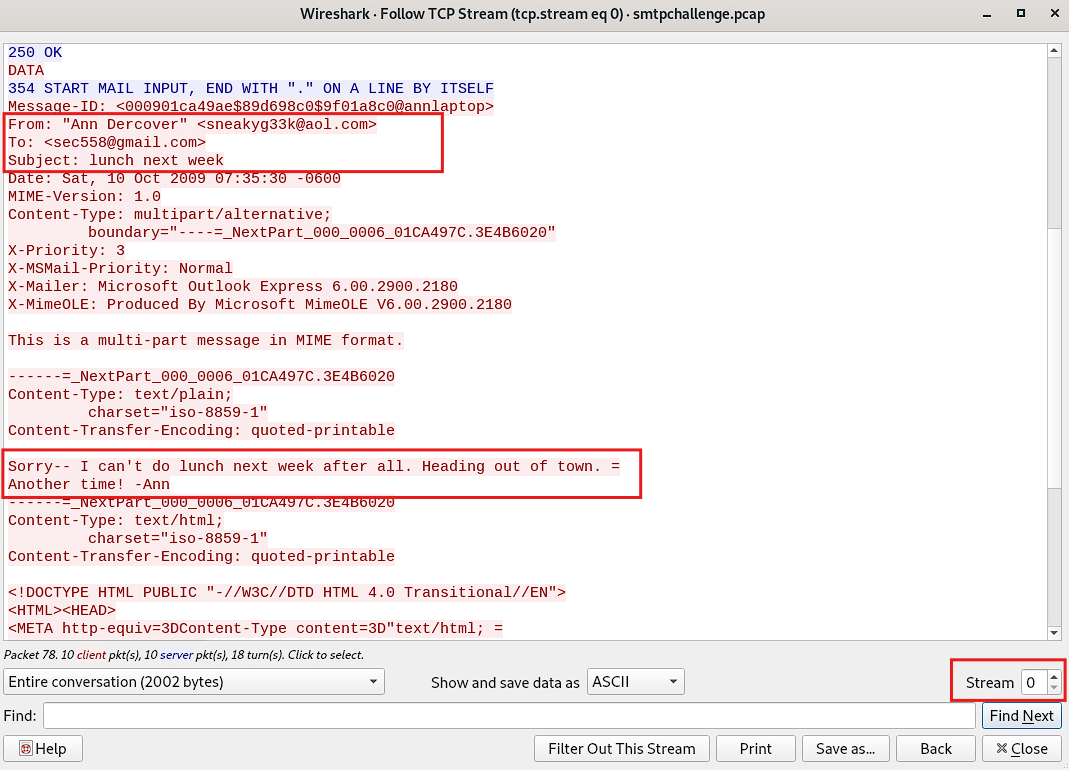
In Ann’s first conversation, everything seems perfectly normal, just a regular exchange with someone, no signs of affection or anything like that:
However, when moving on to the next conversation, things get more interesting:
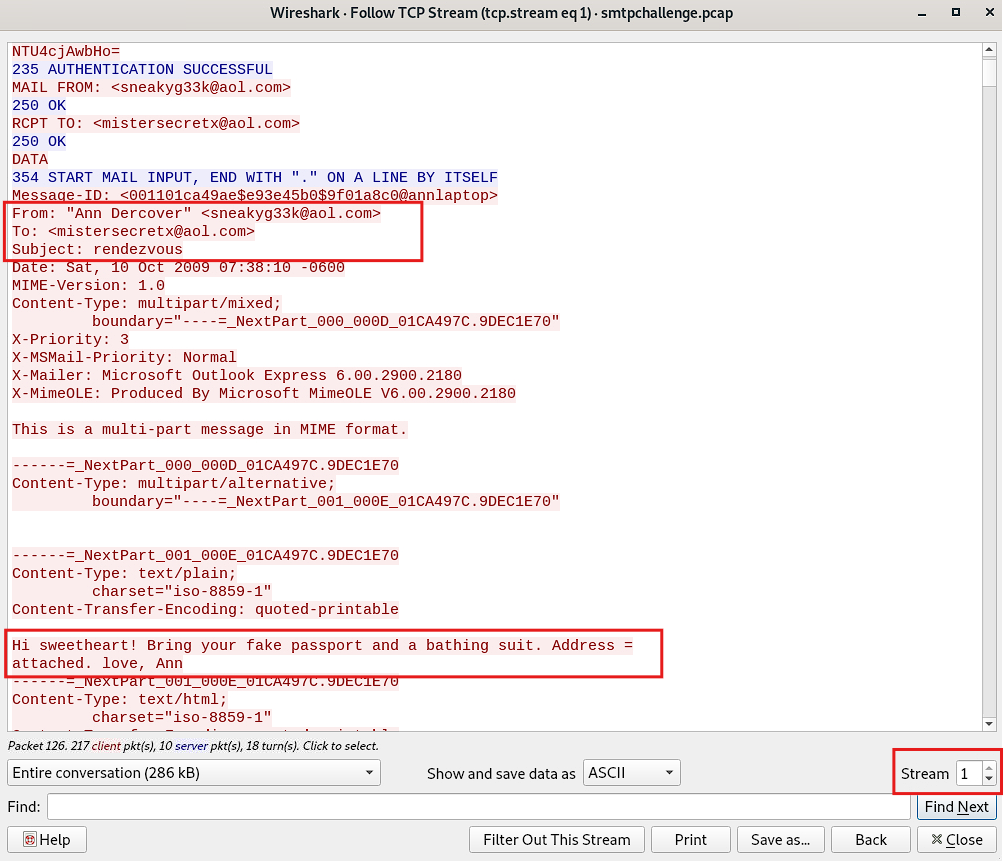
So yep, turns out the email address of Ann’s secret boyfriend is: mistersecretx@aol.com
What is Ann’s email password?
To figure this one out, grab any SMTP conversation and check out the highlighted section:
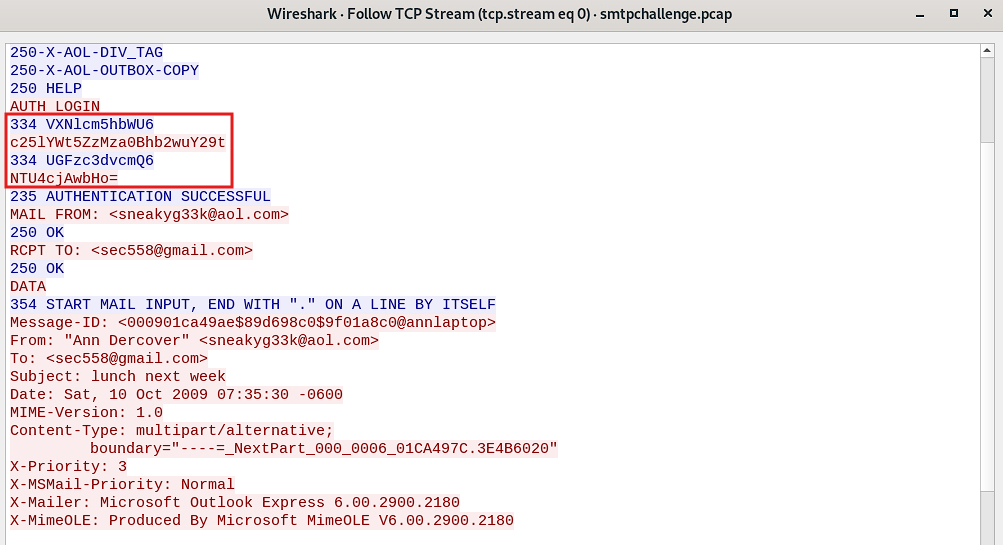
Copy and paste it into CyberChef using the following Base64 decoding recipe. Don’t forget to remove the 334 numbers on the left side of each Base64 line:
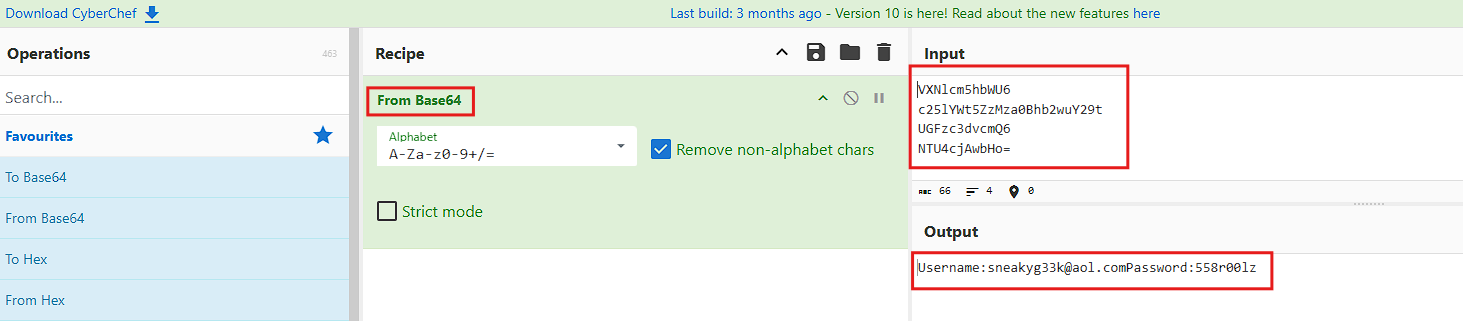
And voilà, there’s is the answer for this question is: 558r00lz
What is the name of the file that Ann sent to his secret lover?
This one’s easy, just check out Ann’s compromising SMTP conversation and look for a file attachment. The information is shown below:
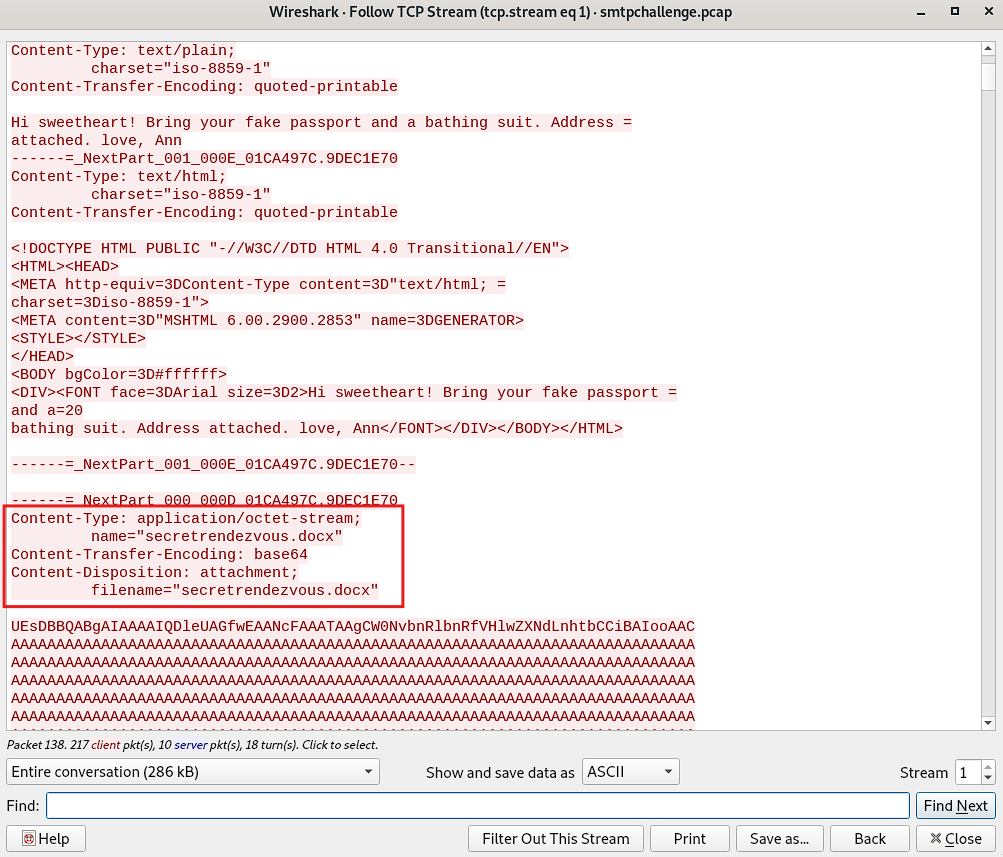
Yep, you guessed it right!. The answer for this question is: secretrendezvous.docx
In what country will Ann meet with her secret lover?
To figure out which country Ann is planning to meet her secret lover, you need to access the attached file, but since it’s base64-enconded, you need to reconstruct it first. To do so, simply copy the whole string block:
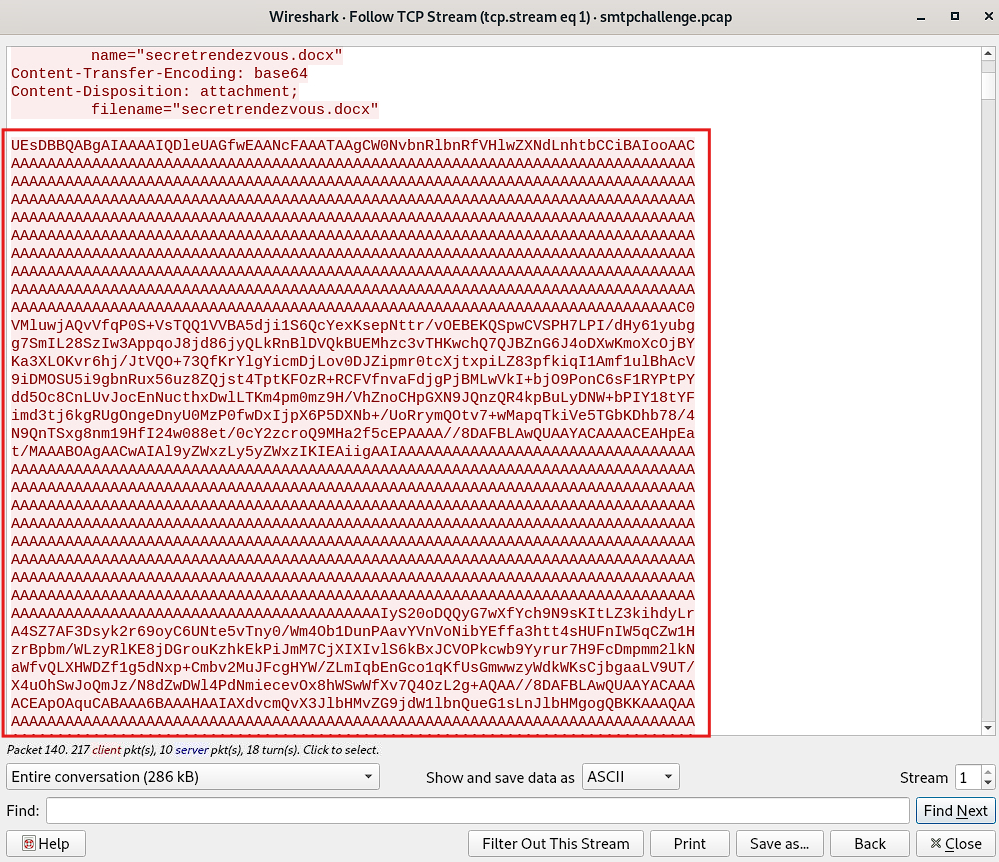
And save it in a file of your choice, you can name it for example secret_file_attached.b64.
If for some reason, you consider the base64-encoded text block is way too large to copy and paste it, you can simply save the SMTP conversation in a text file as follows:
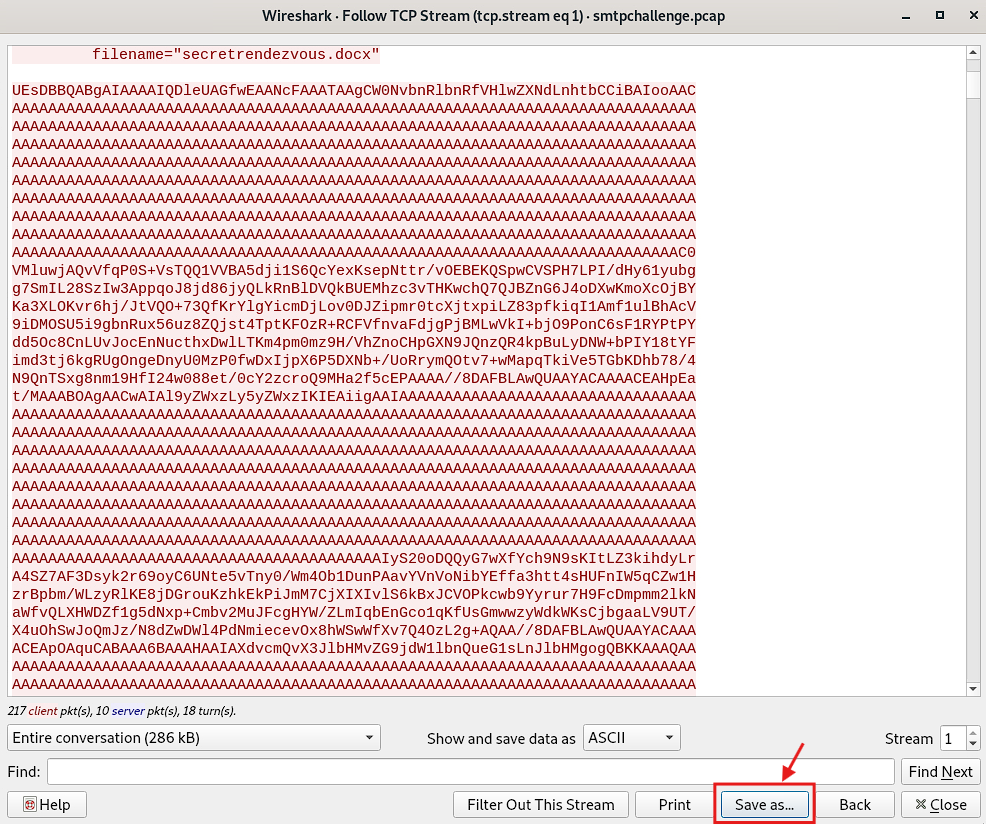
Give your file a meaningful name:
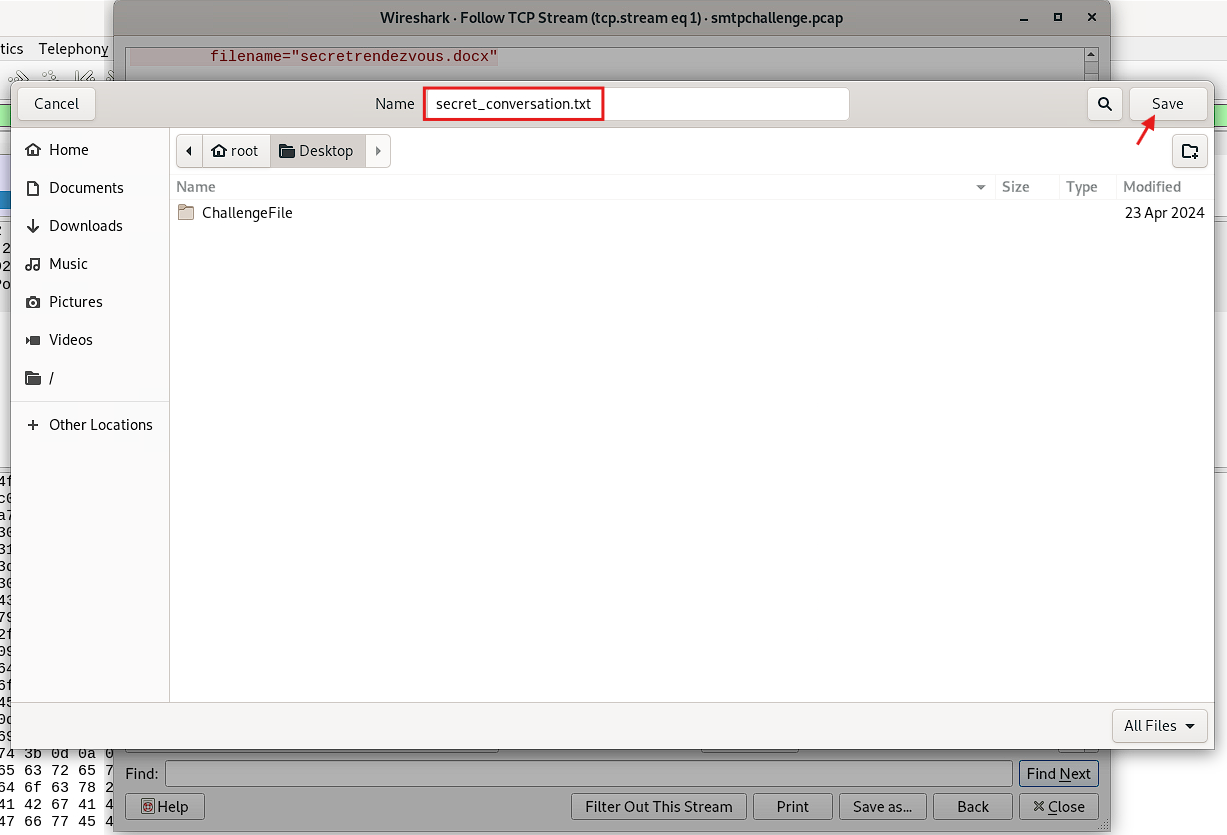
And use the following command to extract only the encoded block into a file of your choice, something like this:
1
2
3
> sed -n '/filename="secretrendezvous\.docx"/,/^------=_NextPart_/p' secret_conversation.txt
| sed '1d;$d'
| tr -d
That command takes everything between the line filename="secretrendezvous\.docx" and the line ------=_NextPart_, but since those two lines are included in the output, you need to remove them using sed '1d;$d':
1d: It deletes the first line, which isfilename="secretrendezvous\.docx".$d: It deletes the last line, which is------=_NextPart_.
Now, you’re left only with the actual base64-enconded content.
Finally, use tr -d '\n' to remove all new line characters, why? because Base64 decoding requires the content to be a single continuous string without line breaks.
With the base64-encoded content in hand, you can now proceed to reconstruct the .docx document like this:
1
> base64 -d secret_file_attached.b64 > secretrendezvous.docx
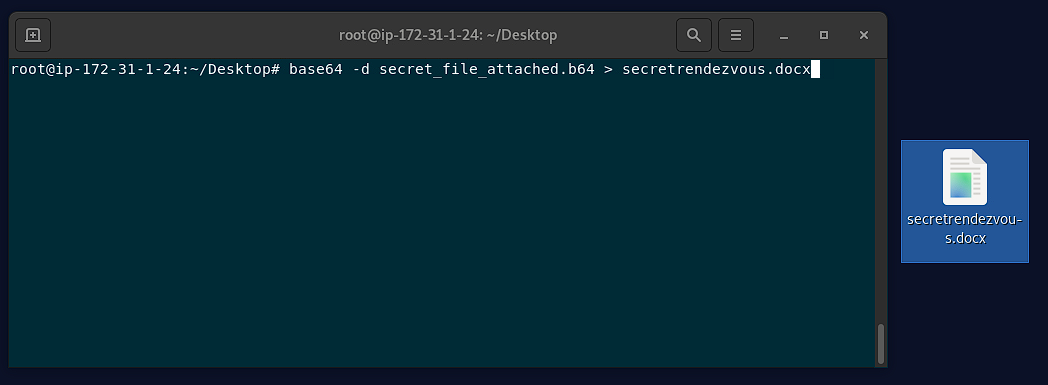
Now, all that’s left is to open the document and see where Ann is meeting her secret lover.
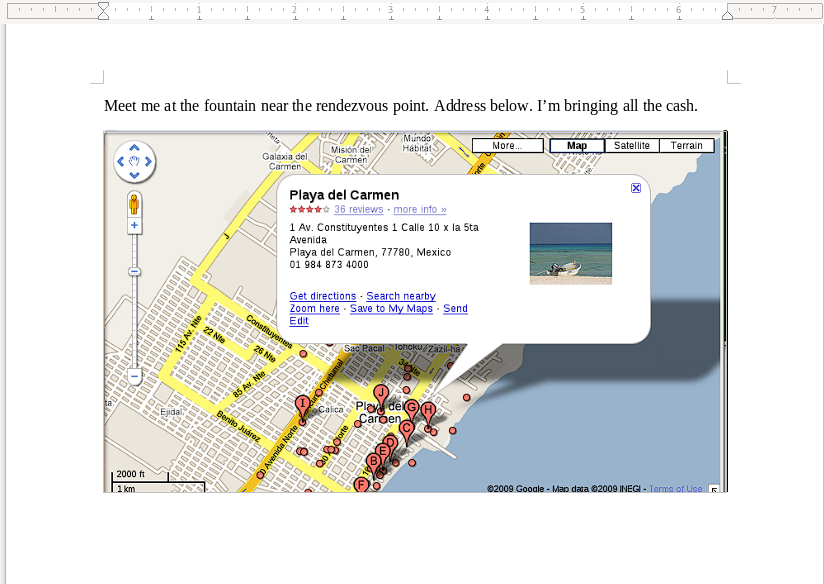
You got it!. The meeting place is: Mexico
What is the MD5 value of the attachment Ann sent?
You already have the file reconstructed. Just run the following command to get its MD5 hash:
1
> md5sum secretrendezvous.docx
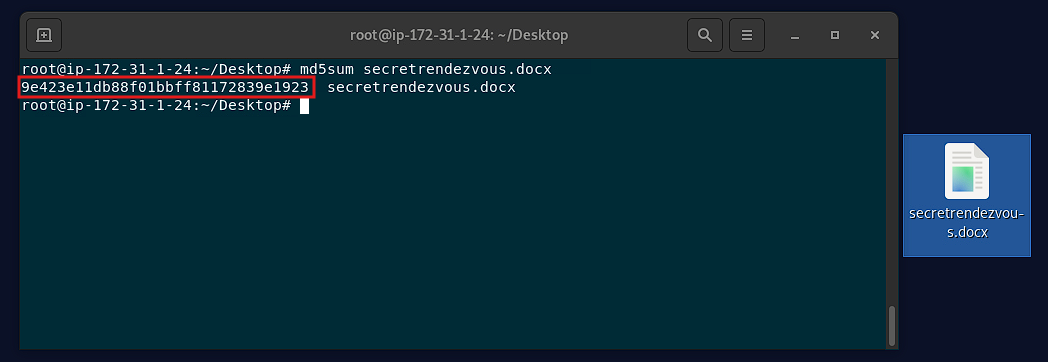
And there you have your answer: 9e423e11db88f01bbff81172839e1923
And that’s a wrap! 🎉 You’ve successfully uncovered all of Ann’s secret email adventures and gathered all the answers. Great job!. See you next time!.