HackThisSite - Basic Level 2 - No Password File

In this scenario, Network Security Sam implemented a password-checking script that reads the correct password from an unencrypted text file and compares it with the password entered by the user. Unfortunately, he forgot to upload the file that actually contains the password.
You can try and enter a random password:
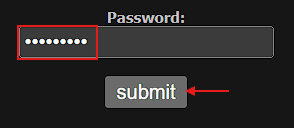
You’re rejected immediately as you might have expected:

But what if this time you just leave the password field empty?:
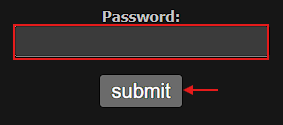
Ahh! 😲 You are allowed to access:

Well done! 🎉 This is a good reminder to always try even the most obvious or “silly” inputs when testing security controls.
My guess is that behind the scenes Sam implemented a backend script that expected a file containing the real password, but since the file didn’t exist (as he forgot to upload it) the script fell back to a default value, in this case, an empty string when handling the error. Conceptually, something like this:
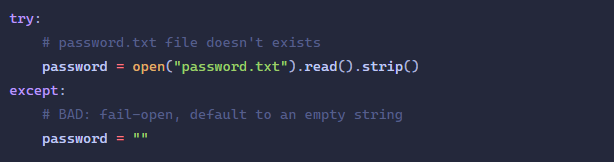
This violates the principle of Fail securely: if something goes wrong, the system must deny access, not granting it.
Security Recommendations
Always fail securely, if a password file is missing or unreadable, the system should deny access rather than defaulting to an empty password. On top of that, store sensitive data like passwords in encrypted files or secure vaults, not in plain text.
Implement input sanitization & validation and avoid assumptions about user input. Finally, regularly audit and test your authentication mechanisms to catch mistakes or oversights before they can be exploited.